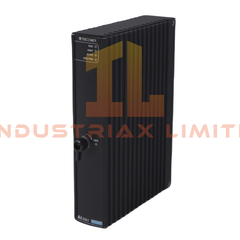
Yokogawa Fiber-optic FA-bus Module F3LR01-ON The Fiber-optic FA-bus Module F3LR01-ON, also cataloged as the F3LR01-ON FA-bus Module, operates as a...
Read more
Available on working days between 9:00 am to 6:00 pm
Email us: sales2@industriaxplc.com
Available 24/7 for inquiries and support
Description
Yokogawa Fiber-optic FA-bus Module F3LR01-ON
The Fiber-optic FA-bus Module F3LR01-ON, also cataloged as the F3LR01-ON FA-bus Module, operates as a dedicated hardware component for configuring distributed control over a fiber-optic FA bus network. It allows direct physical interfacing of remote I/O modules connected via fiber-optic cabling, enabling subunit modules to be addressed identically to those in the main unit.
Hardware Specifications
Parameter
Specification
ModelBrand
F3LR01-ON
Origin
Industrial Grade
Weight
100 g
Dimensions
28.9 W × 100 H × 83.2 D mm
OperatingTemp
0 to 55 degC
StorageTemp
-20 to 75 degC
HumidityRange
10 to 90% RH (non-condensing)
PowerConsumption
220 mA @ 5 VDC
ModuleType
Fiber-optic FA-bus Interface
Backplane Communication and Deterministic Network Features
The module supports high-speed backplane bus communication, enabling deterministic data exchange between main and subunits. Firmware flash compatibility ensures that network updates or module replacements can occur without disrupting system operation. The module’s internal bus architecture manages signal timing and density scaling for consistent I/O sampling across connected subunits.
Frequently Asked Questions
Q: Can this module support hot-swapping? A: The module is not rated for hot-swap operation. All connections must be powered down before insertion or removal to prevent signal corruption.
Q: What is the maximum cable length for reliable fiber-optic FA-bus communication? A: Length is dictated by standard industrial fiber-optic transmission limits and attenuation; system design should comply with fiber specifications to maintain signal integrity.
Q: Are firmware updates backward compatible? A: Firmware updates maintain backward compatibility with previously installed modules, provided the overall system firmware version supports the F3LR01-ON protocol set.
Field Installation Guidelines
Mount modules securely within FA-M3 main and subunits following DIN-rail specifications.
Ensure fiber-optic connectors are fully seated and protected from sharp bends or mechanical stress.
Maintain grounding for shielded fiber-optic cables to prevent EMI interference.
Avoid routing fiber-optic lines near high-voltage switching components.
Verify all modules are powered down before installation or removal.