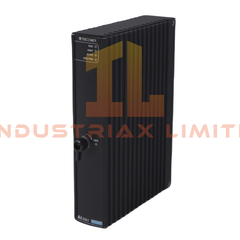
Yokogawa AIP831-101 Operation Keyboard The Yokogawa AIP831-101, also cataloged as the AIP831 Operation Keyboard, operates as a dedicated hardware component...
Read more
Available on working days between 9:00 am to 6:00 pm
Email us: sales2@industriaxplc.com
Available 24/7 for inquiries and support
Description
Yokogawa AIP831-101 Operation Keyboard
The Yokogawa AIP831-101, also cataloged as the AIP831 Operation Keyboard, operates as a dedicated hardware component for eight-loop simultaneous operation within CENTUM VP Desktop-type Human Interface Stations (HIS). It provides direct tactile and electrical interaction for instrument faceplate highlighting and alarm acknowledgement across multiple control loops.
HardwareSpecifications
Parameter
Specification
ModelBrand
Yokogawa AIP831-101
Origin
Japan
Weight
2.0 kg without VESA bracket, 2.5 kg with VESA bracket
Dimensions
Flat-surface keyboard, VESA-mountable
OperatingTemp
5 to 40 degC
StorageTemp
-20 to 60 degC
Humidity
20% to 80% RH, non-condensing
PowerConsumption
5 V DC ±5%, max 1 A via USB bus
Interface
2 × USB Type-A connectors, Keyboard: USB 2.0 Full-speed, Speaker: USB 1.1 Full-speed
ControlKeys
8 loop control keys with touch sensors, 64 user-definable function keys
SoundFunction
Built-in USB speaker and additional buzzer alerts
SoftwareRequirement
LHS1140 Eight-loop Simultaneous Operation Package; compatible with LHS1100 or LHM1101
Incompatibility
LHS1120 or LHS1130 packages
Process Contro lIntegration Features
The AIP831-101 supports channel-to-channel isolation for eight simultaneous loops, preventing cross-talk between control signals. The touch sensors trigger instantaneous visual feedback on the desktop HIS, and the integrated USB audio channel provides independent alarm routing. The keyboard maintains full functionality with 4-20 mA HART loop protocols, allowing precise real-time command and monitoring in standard DCS configurations.
Frequently Asked Questions
Q: Does the keyboard require an external power supply? A: No. Both the keyboard operation and USB speaker are fully bus-powered via the host PC USB ports.
Q: Can multiple AIP831-101 keyboards be connected to a single HIS? A: No. Each Desktop-type HIS supports only one AIP831 per LHS1100/LHM1101 installation.
Q: Is the keyboard compatible with LHS1120 or LHS1130 software packages? A: No. The keyboard is incompatible with these packages and requires LHS1140 for full functionality.
Field Installation Guidelines
Mount the keyboard on a stable desk surface or VESA bracket, ensuring the bracket is securely fastened.
Connect both USB Type-A cables to separate host PC ports to enable full keyboard and speaker functionality.
Maintain standard industrial shielding for USB cables to prevent EMI interference with control signals.
Avoid exposure to moisture, direct sunlight, or temperatures outside 5 to 40 degC during operation.
Ensure proper grounding of the host HIS and the keyboard chassis to reduce risk of static discharge affecting touch sensors