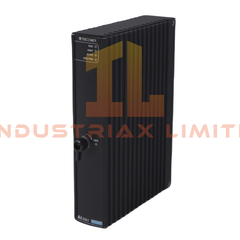
Configured for modular I/O module mounting in the Honeywell ControlEdge HC900 system, the Honeywell 900R12-0200 (900R12-0200 12-Slot I/O Rack) provides the physical backplane interface for controller modules, power modules, and I/O assemblies.
Hardware Specifications
Parameter
Specification
Model
900R12-0200
Brand
Honeywell
Product Series
ControlEdge HC900
Device Type
12-Slot I/O Rack / Chassis Backplane
I/O Slot Capacity
12 I/O module slots
Origin
USA
Weight
4,072 g (approx. 8.98 lbs)
Dimensions
137 mm x 571.5 mm x 151.7 mm
Mounting Type
Panel mount with compatible installation hardware
System Function
Houses CPU, power supply, and I/O modules within HC900 architecture
Application
Process control, signal acquisition, and modular automation systems
Process Control Backplane Integration
The 900R12-0200 provides the electrical and mechanical structure required for Honeywell ControlEdge HC900 modular configurations. It supports installation of controller components and field I/O modules through the rack backplane interface.
Furthermore, the rack design allows I/O density scaling by adding compatible modules across available slots. The backplane distributes system connections between installed modules while maintaining the modular architecture of the HC900 platform.
The rack itself does not perform signal conversion or field communication. Instead, it provides the mounting structure and internal connectivity required for controller operation.
Frequently Asked Questions
Q: Can the 900R12-0200 rack process analog or digital field signals directly? A: No. The 900R12-0200 is a chassis and backplane assembly. Signal processing requires compatible HC900 CPU and I/O modules installed in the rack.
Q: Does the 900R12-0200 support redundant controller configurations? A: The rack can be used within HC900 system configurations that include compatible redundancy components. The specific redundancy capability depends on the installed controller modules and system design.
Q: What installation factors should be considered for this rack? A: Engineers should verify mechanical clearance, module compatibility, grounding requirements, and cabinet wiring conditions before installation.
Field Installation Guidelines
Install the 900R12-0200 on a stable industrial panel using the specified mounting hardware. Ensure the rack remains accessible for module insertion, inspection, and maintenance activities.
Route power and signal wiring separately to reduce electrical interference. Maintain proper cable shielding practices and connect shields according to the system grounding design.
Before installing modules, inspect the backplane connectors for contamination or mechanical damage. Confirm that all installed modules match the HC900 hardware configuration requirements.
Verify cabinet ventilation conditions because installed controller modules and power supplies generate heat during operation. Complete electrical checks before applying system power.