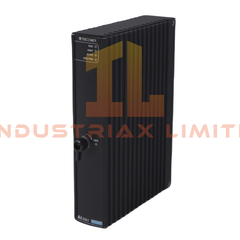
Yokogawa F3LE12-0T Ethernet Interface Module Configured for Ethernet data communication in IEEE 802.3 networks, the Yokogawa F3LE12-0T (F3LE12 Ethernet Interface...
Read more
Available on working days between 9:00 am to 6:00 pm
Email us: sales2@industriaxplc.com
Available 24/7 for inquiries and support
Description
Yokogawa F3LE12-0T Ethernet Interface Module
Configured for Ethernet data communication in IEEE 802.3 networks, the Yokogawa F3LE12-0T (F3LE12 Ethernet Interface Module) provides direct physical and protocol-level connectivity between controller nodes, personal computers, and workstations using TCP/IP or UDP/IP communication services.
Suffix Breakdown & Model Matrix
The supplied documentation identifies a single catalog model:
Parameter
Specification
Full Model
F3LE12-0T
Base Model
F3LE12
Module Type
Ethernet Interface Module
Network Standards
100BASE-TX, 10BASE-T
No additional suffix decoding or option matrix is specified in the provided documentation.
Channel-to-Channel Network Communication Characteristics
The F3LE12-0T module is designed for Ethernet-based controller communication within Yokogawa control platforms. Network access is performed through the CSMA/CD method and supports both 100BASE-TX and 10BASE-T physical layers.
The module supports TCP, UDP, IP, ICMP, and ARP protocol stacks for data exchange between networked automation devices and supervisory systems. Communication is established through standard IEEE 802.3 Ethernet infrastructure with a maximum node separation distance of 100 m per segment.
Frequently Asked Questions
Q: Does the F3LE12-0T require an external power supply? A: No. The supplied specification indicates no external power supply requirement. The module draws 500 mA internal current from the host system.
Q: Which Ethernet standards are supported by the module? A: The module supports IEEE 802.3 compliant 100BASE-TX and 10BASE-T Ethernet networks using baseband transmission.
Q: What communication protocols are available through the module? A: Supported protocols include TCP, UDP, IP, ICMP, and ARP.
Field Installation Guidelines
Verify module compatibility with the target Yokogawa CPU before installation.
Install the module with system power removed unless the host platform documentation explicitly permits online replacement.
Use IEEE 802.3 compliant Ethernet cabling appropriate for the selected network speed.
Maintain cable separation from high-voltage and high-current conductors to reduce electromagnetic interference.
Terminate cable shields according to the site grounding standard and avoid multiple uncontrolled shield grounding points.
Confirm network addressing and protocol configuration before connecting the module to an active control network.
After installation, verify link status and network communication with connected nodes before commissioning.