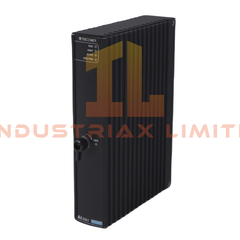
Yokogawa AIP827-2 USB Operation Keyboard Configured for direct human-machine input execution in HIS operator workstation environments, the Yokogawa AIP827-2 (AIP827)...
Read more
Available on working days between 9:00 am to 6:00 pm
Email us: sales2@industriaxplc.com
Available 24/7 for inquiries and support
Description
Yokogawa AIP827-2 USB Operation Keyboard
Configured for direct human-machine input execution in HIS operator workstation environments, the Yokogawa AIP827-2 (AIP827) USB Operation Keyboard provides direct physical interface handling for operator command entry and system navigation within Yokogawa Human Interface Station (HIS) architectures.
Suffix Breakdown & Model Matrix
AIP827: Base model USB Operation Keyboard for HIS
-2: 220-240 V AC supply version with CE and C-Tick compliance marking
No further functional segmentation or option coding is defined in the provided specification.
Hardware Specifications
Parameter
Specification
ModelBrand
Yokogawa AIP827-2
Origin
JAPAN
Weight
2.5 kg (keyboard + AC adapter)
Dimensions
440 mm (W) x 284 mm (D) x 52 mm (H); 73 mm including feet
OperatingTemp
5 degC to 40 degC
StorageTemp
-20 degC to 60 degC
Humidity
20 to 80 percent RH (non-condensing)
PowerSupply
100-120 V AC or 220-240 V AC, 50/60 Hz
PowerConsumption
20 VA
Interface
USB A-type connector
Cable Connection
USB port
Process Control Interface Integration Characteristics (Yokogawa HIS USB HID Layer Behavior)
The Yokogawa AIP827-2 is integrated as a USB HID-class input device within HIS operator console environments. Within DCS workstation topology, USB event packets are mapped to operator command layers through workstation input drivers, maintaining deterministic input polling cycles under HIS runtime scheduling. The USB execution layer operates independently from 4-20 mA HART field loops and FOUNDATION Fieldbus segments, remaining strictly confined to supervisory human interface signaling rather than process signal conditioning or analog loop execution. Input isolation is handled at workstation controller level rather than at field instrument layer, consistent with operator console architecture separation.
Frequently Asked Questions
Q: Does the AIP827-2 support hot-swap during HIS operation? A: USB connection can be physically reconnected; however, input recognition depends on OS-level HID re-enumeration and HIS session stability.
Q: Is any backplane current loading introduced by this keyboard? A: No backplane electrical loading exists; power draw is limited to external AC adapter consumption of 20 VA.
Q: Can the USB interface be extended using passive hubs? A: USB hub extension is possible within standard USB HID limitations, but cable length must remain within USB specification limits to prevent signal degradation.
Field Installation Guidelines
Connect USB A-type connector directly to HIS workstation USB port or approved industrial USB hub.
Ensure AC adapter is correctly matched to 100-120 V AC or 220-240 V AC supply version.
Maintain cable routing separation from high-noise VFD and power cabling to avoid electromagnetic coupling into USB lines.
Confirm OS-level HID driver recognition before commissioning operator console session.
Install keyboard on flat operator desk surface to maintain drip-proof enclosure integrity under standard industrial control room conditions.