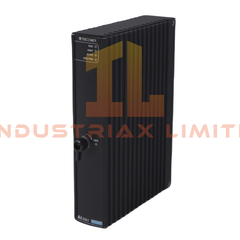
GE Multilin UR6GH UR-6GH Digital I/O Module The GE Multilin UR6GH, also cataloged as the UR6GH Digital I/O Module, operates as a dedicated...
Baca selengkapnya
Dukungan Pengembalian Dana, Layanan 7X24jam, Hubungi kami .
Hubungi kami: +86 135 995 07613
Tersedia pada hari kerja antara pukul 09.00 hingga 18.00
Email kami: sales2@industriaxplc.com
Tersedia 24/7 untuk pertanyaan dan dukungan
Keterangan
GE Multilin UR6GH UR-6GH Digital I/O Module
The GE Multilin UR6GH, also cataloged as the UR6GH Digital I/O Module, operates as a dedicated hardware component for field status monitoring and control signal interfacing within the GE Multilin Universal Relay (UR) protection platform.
Hardware Specifications
Parameter
Specification
Model
UR6GH
Brand
GE Multilin / GE Vernova
Weight
1.16 kg
Dimensions
4.0 cm x 18.0 cm x 15.0 cm
Module Type
Digital I/O Module
Digital Inputs
8 Digital Inputs
Digital Outputs
4 Relay Outputs (Form-A)
Configuration Software
EnerVista UR Software
Platform Compatibility
GE Universal Relay (UR) Series
Profinet / EtherNet-IP Deterministic Network and I/O Expansion Characteristics
The UR6GH module provides hardware-level digital signal exchange between external field devices and GE Universal Relay protection systems. The module extends relay I/O capacity through dedicated digital input channels and Form-A relay output contacts.
The I/O expansion architecture supports status acquisition from field contacts and execution of relay control outputs through the UR platform backplane interface. The module operates as a fixed hardware expansion element configured through EnerVista UR Software parameters.
Frequently Asked Questions (FAQ)
Q: What type of signals does the UR6GH module process? A: The UR6GH processes digital field signals through 8 digital inputs and provides 4 Form-A relay output channels for control interfaces.
Q: Is the UR6GH configured independently from the relay main processor? A: No. The module is configured as part of the GE Universal Relay system through EnerVista UR Software.
Q: What installation considerations apply to the UR6GH module? A: Installation requires correct module positioning within the UR platform rack, proper field wiring termination, and verification of signal polarity and grounding requirements.
Field Installation Guidelines
Install the UR6GH module according to the GE Universal Relay hardware configuration requirements.
Verify the module slot position before insertion into the relay chassis.
Use appropriate field wiring practices for digital input and Form-A relay output circuits.
Maintain separation between low-level signal wiring and high-voltage power conductors.
Connect cable shields according to site grounding standards to minimize electrical interference.
Confirm I/O assignment and channel configuration through EnerVista UR Software before system operation.
Verify relay output contact wiring before applying operational control signals.